Skip to content
Email and Calendar

Email and Calendar

  • All Articles
  • App
  • Coding
  • Hardware
  • More
    • Operating System
    • Outlook
    • PowerPoint
    • Review
    • Software
    • Tip & Trick
    • Troubleshooting
    • Windows

Troubleshooting

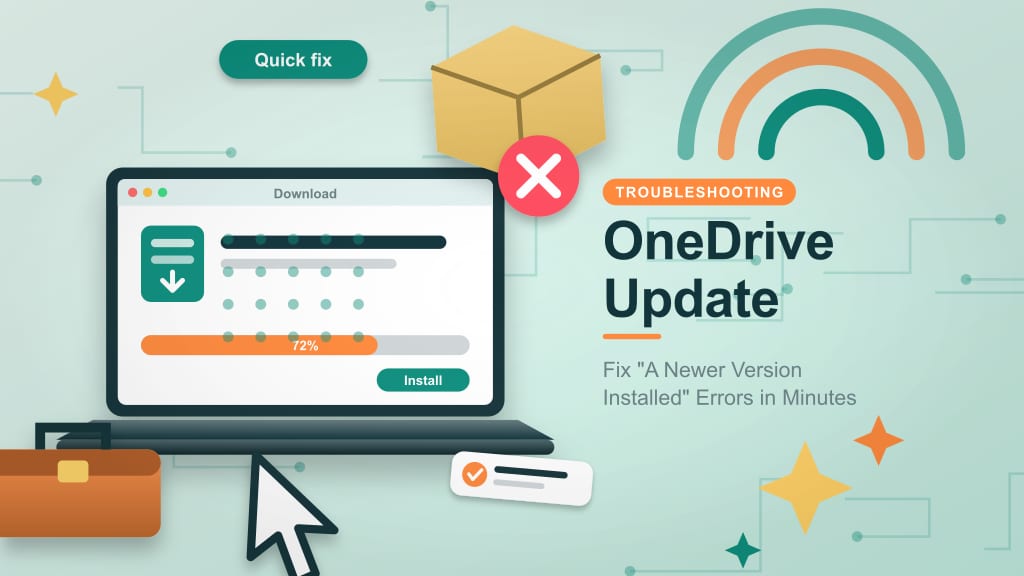
OneDrive Update: Fix "A Newer Version Installed" Errors in Minutes
November 17, 2026 by Jamal Hollis
OneDrive Update: Fix "A Newer Version Installed" Errors in Minutes

A newer version of OneDrive is installed, but now your files won’t sync—or worse, your PC runs slower. ⚡ I’ve debugged this exact issue after Microsoft’s forced updates, and the fixes are simpler than you’d expect. The…

Read more

Categories Troubleshooting

Can't Remove Program From Uninstall List: Registry-Edit Workaround for Stubborn Apps

November 6, 2026 by Jamal Hollis
Can't Remove Program From Uninstall List: Registry-Edit Workaround for Stubborn Apps

I can’t remove the program from my uninstall list—no matter how many times I run the uninstaller, that ghost entry just won’t disappear. 🔧 This happens when Windows keeps registry entries or cached files even after the…

Read more

Categories Troubleshooting

CVE-2022-43552 Windows: Zero-Day Patch Verification Steps for Security Teams

November 6, 2026 by Jamal Hollis
CVE-2022-43552 Windows: Zero-Day Patch Verification Steps for Security Teams

Windows systems vulnerable to CVE-2022-43552 face a critical security gap that attackers exploit before patches land. A zero-day flaw like this one in the Print Spooler service can let hackers execute code…

Read more

Categories Troubleshooting

10 Dangers of Oversharing on Social Media: Real-Life Consequences You Should Avoid

November 6, 2026 by Jamal Hollis
10 Dangers of Oversharing on Social Media: Real-Life Consequences You Should Avoid

Posting too much online can expose you to serious risks—from identity theft to job loss. These 10 real-life dangers of oversharing on social media show why privacy matters more than ever in the digital age. 1 Identity…

Read more

Categories Troubleshooting

Microsoft Basic Display Adapter Driver Download: Legacy System Fix for Crisp Visuals

November 20, 2026 by Jamal Hollis
Microsoft Basic Display Adapter Driver Download: Legacy System Fix for Crisp Visuals

Downloading the Microsoft Basic Display Adapter driver can save your legacy Windows PC from a scrambled screen when modern GPU drivers refuse to work. Picture this: your 10-year-old laptop suddenly shows a fuzzy…

Read more

Categories Troubleshooting

Microsoft CVE-2022-38023: Windows Print Spooler Exploit Fix Explained

November 20, 2026 by Jamal Hollis
Microsoft CVE-2022-38023: Windows Print Spooler Exploit Fix Explained

Microsoft CVE-2022-38023 is a security flaw in Windows Print Spooler that lets attackers take over unpatched systems remotely—no user interaction needed. Imagine waking up to find your work files encrypted or your…

Read more

Categories Troubleshooting

Microsoft IIS/10.0 Exploit: Patch Steps to Block Active Attacks Before Data Breach

November 20, 2026 by Jamal Hollis
Microsoft IIS/10.0 Exploit: Patch Steps to Block Active Attacks Before Data Breach

Exploiting Microsoft IIS 10.0 with remote code execution is happening right now in active attacks, and your servers could be next unless you act. A zero-day vulnerability in Microsoft IIS 10.0 is already being…

Read more

Categories Troubleshooting

10 Microsoft IIS/10.0 Vulnerabilities: Critical Exploits You Must Patch Now

October 15, 2026 by Jamal Hollis
10 Microsoft IIS/10.0 Vulnerabilities: Critical Exploits You Must Patch Now

Microsoft Internet Information Services (IIS) 10.0 remains a critical target for cyberattacks. These 10 vulnerabilities—ranging from remote code execution flaws to elevation of privilege bugs—pose serious risks to…

Read more

Categories Troubleshooting

Microsoft Support and Recovery Assistant Download: Offline Installer for Windows 10/11 Legacy Fixes

October 8, 2026 by Jamal Hollis
Microsoft Support and Recovery Assistant Download: Offline Installer for Windows 10/11 Legacy Fixes

Where to download Microsoft support and Recovery Assistant offline installer (2024 updated links) The Microsoft Support and Recovery Assistant (MSRA) is a lifesaver for fixing Windows 10/11 issues offline, but finding…

Read more

Categories Troubleshooting

Set Up MSN Email on Mac: Step-By-Step Visual Guide for Beginners

October 12, 2026 by Jamal Hollis
Set Up MSN Email on Mac: Step-By-Step Visual Guide for Beginners

Setting up your old MSN email on a Mac is simpler than you’d think—especially if you’re still using that Hotmail account from the early 2000s. ✨ I’ve helped dozens of users migrate their legacy MSN emails to Apple Mail…

Read more

Categories Troubleshooting
Page1Page2Next →

About Me

Jamal Hollis

Jamal Hollis
My first computer was a clunky desktop my dad brought home from work in the '90s, its green-screen monitor flickering like a ghostly TV. I spent hours typing out stories, only to watch them disappear when the power went out. That moment—losing something you’d worked so hard to create—taught me two things: technology could be magical, and you *always* back up your files. Now, I run this site to turn tech into something approachable, whether it’s troubleshooting a stubborn printer or mastering a new keyboard shortcut. If I can make the digital world feel a little less intimidating, one tutorial at a time, I’ve done my job.

Learn more

Recent Posts

  • How to Install Onenote for Windows 10: Step-by-Step Installation Guide
    How to Install Onenote for Windows 10: Step-by-Step Installation Guide
  • How to Set up Email on Android: Quick 4-Step Guide for Any Provider
    How to Set up Email on Android: Quick 4-Step Guide for Any Provider
  • How Do I Set up Voice Recognition: Windows 11/10 Activation in 5 Minutes
    How Do I Set up Voice Recognition: Windows 11/10 Activation in 5 Minutes
  • Microsoft Clip Art Images Free Download: 2024’s Best Legal Sources for PowerPoint & Docs
    Microsoft Clip Art Images Free Download: 2024’s Best Legal Sources for PowerPoint & Docs
  • Set Up MSN Email on Mac: Step-By-Step Visual Guide for Beginners
    Set Up MSN Email on Mac: Step-By-Step Visual Guide for Beginners
  • All Guides
  • About
  • Contact
  • Privacy Policy
  • Cookie Policy
  • Terms of Use
© 2026 emailandcalendar.com